
Send from a subdomain and protect your domain
#subdomain#reputation#dns#deliverability
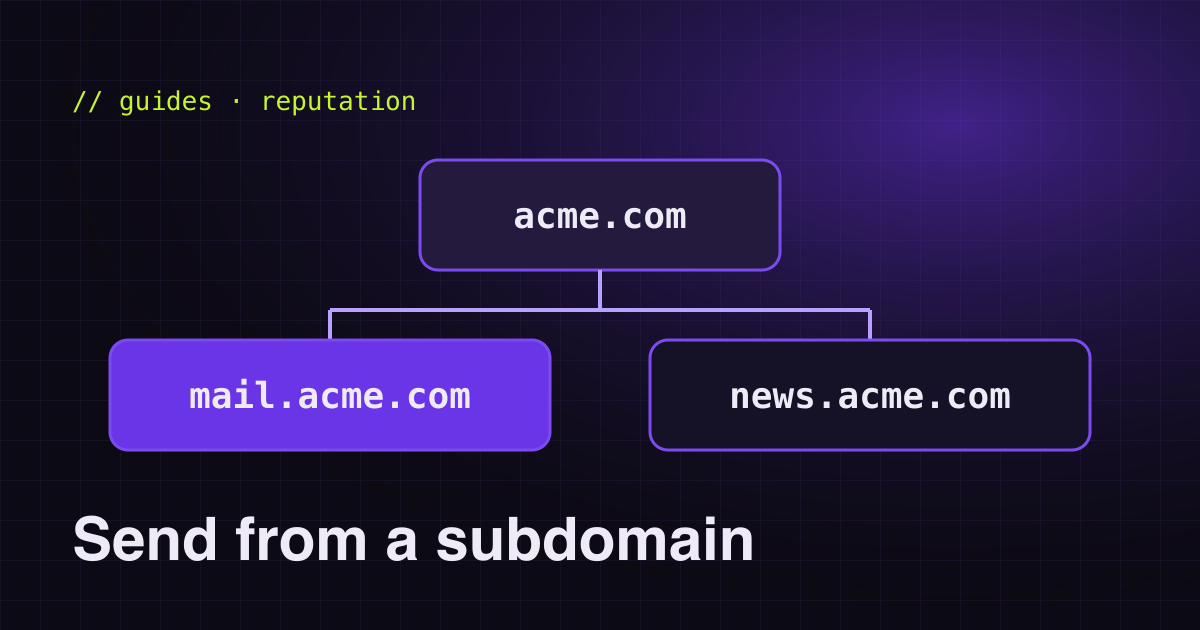
Gmail, Outlook and the other mailbox providers keep a reputation for each domain that sends mail. Every bounce, every complaint and every mail that no one opens moves it down. When it is low, your mail goes to spam.
The problem: if you send everything from acme.com, everything shares one reputation. The mail of your company, the invoices, the login codes and the newsletter. One campaign that people do not like, and the password reset of your customers goes to spam too.
A subdomain has its own reputation
DKIM signs each mail with a domain (the d= of the signature), and providers track the reputation of that domain. When you send from mail.acme.com, the mail is signed for mail.acme.com, so it builds a reputation of its own.
It is not a wall. Providers still see that mail.acme.com belongs to acme.com, and a very bad subdomain can still hurt the parent. But the damage of one stream stays mostly in that stream, and the mail of the root domain, such as the mail of your team in Google Workspace, keeps its own history.
Split the mail by type
Use one subdomain for each kind of mail:
| Subdomain | Why | |
|---|---|---|
mail.acme.com | Login codes, password resets, receipts | People wait for it. It must always arrive. |
news.acme.com | Newsletter, product news, promotions | More people ignore it or report it. |
acme.com | The mail of your team | It is not touched by the other two. |
Then a newsletter with many complaints moves down the reputation of news.acme.com, and the login code from mail.acme.com still arrives.
There is one more reason to split. On 1billion, a person who clicks Unsubscribe stops getting mail from that domain only. If the newsletter and the login mail share a domain, a person who leaves the newsletter also stops getting the login mail. With two subdomains, they only leave the newsletter.
The From still shows your brand
The person sees Acme <hi@mail.acme.com>. The name of the brand comes first, and the domain is clearly yours. Set reply_to to an inbox that you read, for example support@acme.com, so the answers come to your team.
DMARC still passes: the DKIM domain and the From domain are the same (mail.acme.com). If the subdomain has no DMARC record of its own, the DMARC of acme.com applies to it, with the sp= tag of the parent.
Set it up on 1billion
- Add
mail.acme.comas a domain of your app in the console. - Add the records that the console shows. In the Name field of most DNS hosts, type the relative name, for example
1billion._domainkey.mail, not the full name. - Or use one-click setup for Cloudflare or Amazon Route 53, and the console adds the records for you.
| Type | Full name | What |
|---|---|---|
| TXT | 1billion._domainkey.mail.acme.com | The DKIM public key |
| CNAME | 1billion.mail.acme.com | Our return path, which holds the SPF and the MX |
| TXT | _dmarc.mail.acme.com | Optional: a DMARC policy of its own |
The subdomain does not need an inbox to send. The step-by-step guide for each DNS host, and how to receive replies at a subdomain, is in Send from a subdomain.
The first domain of a workspace is free. Each domain after the first costs 1,000,000 credits, one time. See Credits.
Start now
The first 100 mails of each day are free, every day: each workspace gets 100,000 credits at midnight, with no card. Log in to the console, add your domain, and send your first mail in a few minutes with the quickstart.
Re: Send from a subdomain and protect your domain
The first 100 mails of each day are free, every day. No card. Log in and send your first mail in a few minutes.
Start sending free