
MUA, MSA, MTA and MDA, and where 1billion fits
#smtp#msa#mta#deliverability
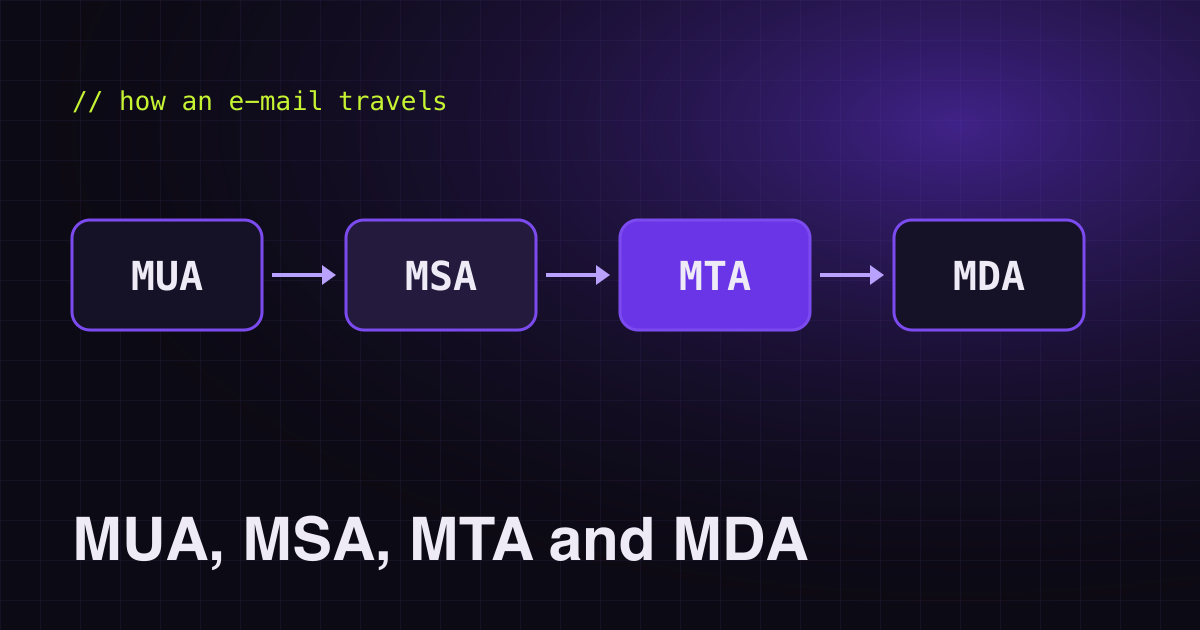
An e-mail does not go from your app to an inbox in one step. Four agents move it, and each one has one job. Their names look alike, so people mix them up. This post explains each one, and then shows which parts 1billion runs.
The four agents
| Agent | Name | What it does |
|---|---|---|
| MUA | Mail User Agent | The app where a person writes and reads mail: Outlook, Thunderbird, Apple Mail, a webmail. |
| MSA | Mail Submission Agent | Gets the message from the MUA, checks who sends it and if they can send, and gives it to the MTA. Usually on port 587. |
| MTA | Mail Transfer Agent | Moves the message from server to server with SMTP, until it gets to the server of the recipient. |
| MDA | Mail Delivery Agent | Puts the message in the mailbox of the recipient, where their MUA can read it. |
The path of one message
You write ──► MUA ──► MSA ──► MTA ──► (SMTP) ──► MTA ──► MDA ──► MUA ──► They read
your app checks sends receives stores their app- MUA. You write the message and click send.
- MSA. Your MUA connects to the MSA, usually on port 587 with STARTTLS, and logs in. The MSA checks the login, checks that you can use the
Fromaddress, and fixes small errors in the headers. A bad login stops here. - MTA. The MTA looks up the MX records of the domain of the recipient, signs the message with DKIM, and opens an SMTP connection to the server on the other side. If that server says "try later", the MTA keeps the message in its queue and tries again.
- MDA. On the side of the recipient, the MDA puts the message in the right mailbox. It can also run filters, for example to move spam to a folder.
- MUA. The recipient opens their mail app and reads the message.
Why is the MSA not the MTA? Port 25 is for servers that talk to servers, and many networks block it for normal users. The MSA gives people and apps their own door, with a login, so the MTA does not have to trust everyone who connects.
Where 1billion fits
Today: the MTA, behind an API
1billion runs its own MTA. When your app calls POST /send, 1billion takes the job of steps 3 and on of the sender side:
- It accepts the mail and answers
202at once. - It signs it with the DKIM key of your domain.
- It finds the MX of each recipient and sends with SMTP.
- It tries again when a server asks it to wait, and it tells you what happened to each recipient with a webhook (
delivered,bouncedand more).
In this setup, the HTTP API does the work that an MSA does: your API key is the login, and the check of your verified domain is the check of the From address. Your app is the MUA. The SDKs (Ruby, Go, JavaScript) make it one call.
Next: an MSA
Not every app can call an HTTP API. A legacy system, a printer, a WordPress plugin or a tool that only knows "SMTP host, port, user, password" needs an MSA. We are getting an MSA of 1billion ready, so that these apps can submit mail with SMTP and get the same DKIM, retries and webhooks as the API. We will tell you here when it is live.
Not our job: the MDA and the MUA
1billion sends mail. The MDA and the MUA are on the side of the recipient: Gmail, Outlook and other mailbox providers run them. We do not store mailboxes and we do not make a mail app.
In short
- MUA writes and reads.
- MSA checks and accepts.
- MTA moves.
- MDA stores.
1billion is the MTA today, with an API as the door. The SMTP door, the MSA, comes next.
Start now
The first 100 mails of each day are free, every day: each workspace gets 100,000 credits at midnight, with no card. Log in to the console, add your domain, and send your first mail in a few minutes with the quickstart.
Re: MUA, MSA, MTA and MDA, and where 1billion fits
The first 100 mails of each day are free, every day. No card. Log in and send your first mail in a few minutes.
Start sending free